Review and Buying Guide for the Procus VR Headset (2025)
Virtual Reality (VR) is changing how we watch videos, play games, and learn. VR headset procus is a good place to start if you’re new to virtual reality and don’t want to spend a lot of money. It is light, affordable, and compatible with the majority of smartphones.
The Procus VR’s design, comfort, cost, comparisons, and setup are all covered in this guide. In addition, it offers suggestions for VR apps and instructions on how to get started.
What Is Procus VR?
Procus VR is a smartphone-based headset that turns your mobile screen into a 3D world. By putting your phone inside the headset, you can play VR games, watch movies, and explore 360-degree videos. It lacks PlayStation VR and Meta Quest’s built-in hardware.
Instead, it relies on your phone’s display, sensors, and apps to create the VR effect. That’s what keeps it affordable and simple to use.
Design and construction quality of VR headset procus
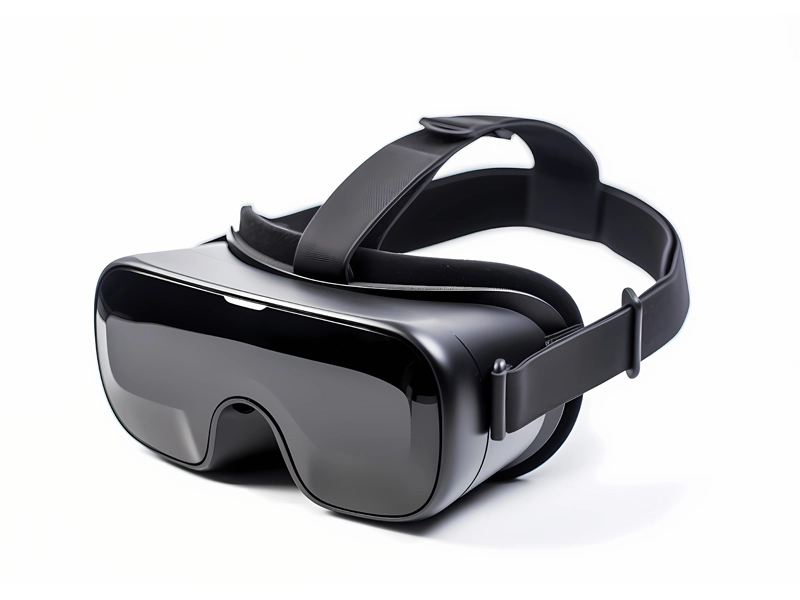
VR headset procus has a sleek, contemporary appearance thanks to its matte black finish. It feels sturdy, not cheap. The adjustable head strap fits most head sizes, and the foam padding around the eyes makes it comfortable even after long use.
It is compatible with almost all Android and iPhone models with screen sizes between 4.7 and 6.5 inches. The front flap opens smoothly to insert your phone, and small vents prevent overheating.
The lens adjustment dial lets you change the distance and focus, so even users with mild vision differences can see clearly. The design feels practical and beginner-friendly.
Viewing Experience and Performance
With a 100-degree field of view, Procus VR provides an immersive experience that is large enough for games and movies. The experience depends on the resolution of the screen on your phone. A Full HD or Quad HD display gives sharper, more realistic visuals.
It is compatible with VR-capable applications such as YouTube VR, Fulldive, Within, and Google Cardboard. Simply open the Procus VR app and put your phone in the headset to get a 360-degree view. The gyroscope and accelerometer of your phone are required for motion tracking. Rotation and movement appear effortless and natural on your device if they are supported.
Comfort and Usability
VR headset procus scores high on comfort. Because the head strap evenly distributes weight, you won’t feel any pressure on your nose or forehead. The padding is breathable and soft. It is simple to wear during prolonged viewing sessions due to its lightweight (around 400 grams).
Adjusting the lenses is simple, even while wearing the headset. It’s also travel-friendly. You can carry it in your backpack and enjoy VR experiences anywhere.
Value and Cost of VR headset procus
One of the most affordable VR headsets in India is the Procus VR, which typically retails for between 1,800 and 2,500 rupees. For this Vr headset procus price, it delivers great value.
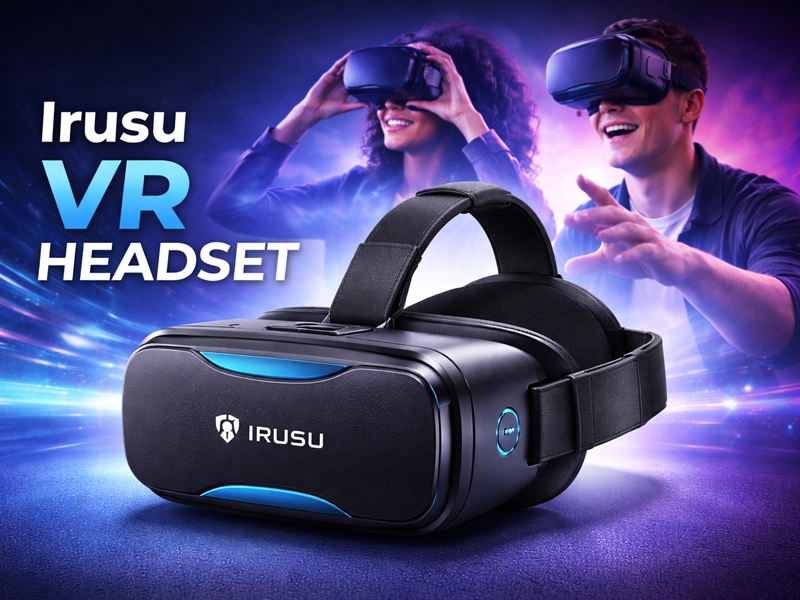
Even entry-level options like Irusu Play VR cost between 3,000 and 4,000 yen, whereas standalone headsets like Meta Quest 3 cost more than 50,000 yen. Procus VR lets novices experience virtual reality without having to spend a lot of money.
Although it is not suitable for advanced simulation or professional gaming, it is ideal for casual gaming, exploring VR apps, and watching 360-degree videos.
Procus VR vs Other Headsets
Irusu Play VR versus Procus VR
Both are smartphone-based headsets. VR headset procusProcus VR offers better padding and build quality, while Irusu Play VR has slightly more lens adjustment options.
Google Cardboard versus Procus VR.
The most fundamental VR option is Google Cardboard. It’s made of cardboard, and while it works, it’s not durable or comfortable.
In contrast, the Procus VR has better lenses, padding, and a head strap that stays in place. It’s reusable and gives a much smoother viewing experience.
Procus VR is a better option if you want to try VR for more than a few days.
Procus VR vs Meta Quest 3
Meta Quest 3 is a standalone VR headset with its own processor, display, and sensors. It doesn’t need a phone or PC.
However, it costs more than ₹50,000. Procus VR, on the other hand, offers a budget-friendly introduction to VR for less than ₹2,500.
Meta Quest delivers high-end gaming and full interactivity. Procus is ideal for simple entertainment, learning, and exploring VR content using your phone.
Who Should Purchase the VR Headset Procus?
Invest in Procus VR if you
- Want to explore VR without a large investment.
- Own a smartphone with good display quality.
- Enjoy 360° videos, virtual tours, or educational VR content.
- Are you looking for an affordable gift for kids or beginners
- If you want high-end VR gaming or 6DoF (six degrees of freedom) motion tracking, which is only available on expensive standalone headsets, stay away from it.
Tips to Get the Best Experience
- Use a high-resolution smartphone (Full HD or better).
- Clean the lenses regularly for clear visuals.
- Use headphones for better immersion.
- Before beginning, adjust the lens distance and straps.
- Try using it in a dark room for better focus and less distraction.
Who Should Purchase the VR Headset Procus?
Invest in Procus VR if you
- Want to explore VR without a large investment.
- Own a smartphone with good display quality.
- Enjoy 360° videos, virtual tours, or educational VR content.
- Are you looking for an affordable gift for kids or beginners
- If you want high-end VR gaming or 6DoF (six degrees of freedom) motion tracking, which is only available on expensive standalone headsets, stay away from it.
What to Look for in a VR Headset
Before buying any VR headset, check these key features:
- Compatibility: Make sure it fits your phone size and OS.
- Lens Adjustment: Look for distance and focus control.
- Comfort: Padding and straps matter for long sessions.
- Quality: Builds made of cheap cardboard or plastic should be avoided.
- Field of View (FOV): A wider FOV makes the scene feel more real.
Procus VR checks all these boxes, which makes it one of the best choices under ₹2,500
5 Minutes to Setup Your Procus VR Headset
- Vr headset procus download or Procus VR app download like YouTube VR or Fulldive.
- Open the Procus VR app and select a 360° or VR video.
- Automatically, split-screen mode will appear.
- Place your phone in the middle of the headset by opening the flap.
- Adjust the straps and lenses while wearing the headset and closing the flap.
- You’re ready to explore virtual reality. Quick and easy.
You’re ready to explore virtual reality. Quick and easy.
Top 10 VR Apps to Try with Procus VR
- YouTube VR—Watch endless 360° videos on YouTube VR.
- Fulldive VR—Explore movies, photos, and games.
- Within VR—high-quality storytelling and immersive films.
- Google Cardboard App—Great for first-time VR users.
- Titans of Space—Explore the solar system in VR.
- VR Roller Coaster—Go on exhilarating rides.
- ExpeditionsPro—Virtual field trips for learning.
- InCell VR—The educational biology adventure.
- VR Theatre—In a 3D theatre, you can watch your local videos.
- Relax VR—experiences that help you relax and meditate.
How to Watch 360° YouTube Videos on VR headset procus
- Open YouTube on your phone.
- Search for “360 videos” or “VR videos.”
- Tap the goggles icon to switch to VR mode.
- Put your mobile device into Procus one VR headset.
- Move your head to explore the video scene while adjusting your focus.Procus one VR headset is a great choice for beginners who want to experience virtual reality without spending much.
It works with most phones, is sturdy, and is comfortable. Compared to Irusu Play VR or Google Cardboard, Procus offers better comfort and build quality.
Additionally, it outperforms Meta Quest 3 in terms of cost and ease of use, despite its lack of power. If you want to explore VR movies, 360° videos, and educational content, the Procus VR is absolutely worth it.