(By Pallavi Dogra) The Asus Chromebook CX15 is a practical option for people who need a lightweight, simple, and dependable laptop for everyday tasks. Built around the ChromeOS ecosystem, this device focuses on speed, cloud connectivity, and smooth web performance.
Chromebooks are preferred by many students, casual users, and remote workers due to their quick startup times and low upkeep requirements. ChromeOS efficiently runs web-based and Android applications rather than heavily relying on complicated desktop software.
This approach allows users to work online, access documents, attend video calls, and browse the internet without performance slowdowns. The system also updates automatically, which helps maintain security and stability.
This laptop is often a good option for people who need a reliable device for document editing, streaming, online learning, and browsing. With its clean interface and simple design, the Asus Chromebook CX15 provides a balanced experience between affordability and everyday functionality.
Fast boot times are another advantage of ChromeOS devices. Users can start working within seconds after powering on the laptop. Students and professionals who require quick access to online tools or documents benefit from this speed by not having to wait for lengthy loading times.
Design, Display, and Performance Features
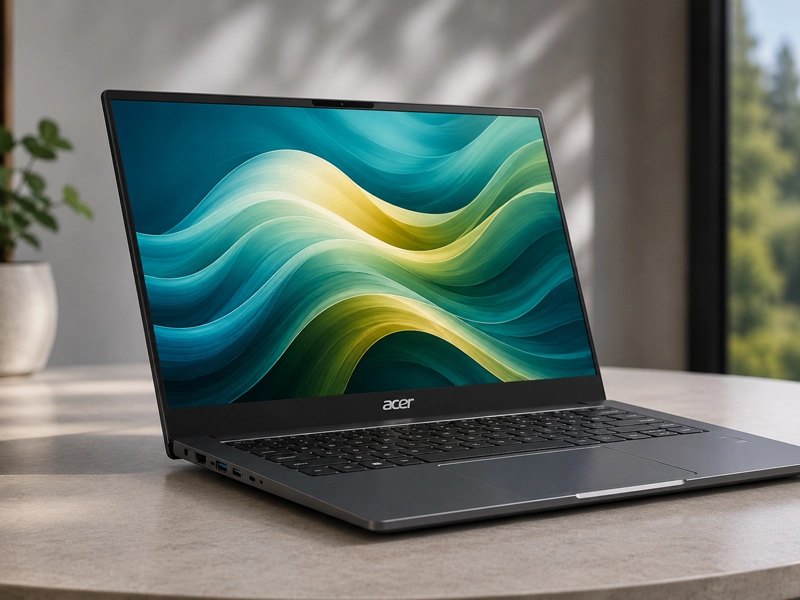
The Asus Chromebook CX15 was designed to be both practical and visually appealing. The laptop features a modern, lightweight chassis that makes it easy to carry between classrooms, offices, or travel locations. Its slim profile and sturdy build support everyday mobility.
The user experience as a whole is greatly influenced by the display. The laptop has a large screen that is comfortable to use for browsing, document writing, and video watching. Thin bezels improve the viewing area and give the device a modern appearance.
ChromeOS runs well on low-end hardware, ensuring consistent performance. Without significant slowdowns, users are able to stream media, run web applications, and open multiple tabs in their browsers. The laptop handles routine tasks such as document editing, video meetings, and cloud storage access smoothly.
The keyboard also provides comfortable feedback for typing, which is beneficial to professionals and students who spend a lot of time working on assignments or emails. The responsive trackpad makes navigation easier and makes it easier for users to manage applications, scroll, and zoom.
Instructions for Using the Asus Chromebook CX15
Setting up the Asus Chromebook CX15 takes only a few minutes. Users simply power on the laptop, connect to a Wi-Fi network, and sign in with a Google account. Bookmarks, extensions, and saved files from other Google devices are synchronized automatically with ChromeOS.
Users can begin working right away after the setup process is finished. The system provides access to Google Docs, Google Sheets, Gmail, and cloud storage services through Google Drive.
Users can easily create, store, and share files with these tools. Users can also install Android apps through the Google Play Store. This capability expands the device’s functionality beyond basic web browsing. Popular productivity, entertainment, and learning apps run smoothly on ChromeOS.
In the background, regular system updates are carried out automatically. Without interfering with day-to-day activities, these updates enhance performance, improve security, and fix bugs. The simple setup process also makes the laptop suitable for users who are not very familiar with advanced computer settings.
Pricing and Benefits: Is It Worth the Investment?
Many buyers consider the Asus Chromebook CX15 because it offers strong value for everyday computing. Compared with traditional laptops that run heavier operating systems, Chromebooks often cost less while still handling essential tasks effectively.
Students benefit from the affordability because they don’t have to buy expensive hardware to use online classes, research materials, or writing tools. Remote workers also appreciate the device’s simplicity and reliable performance for communication tools and document collaboration.
Platforms like gadgetspros help highlight devices that strike a balance between price and performance for people looking for trustworthy technology recommendations. Buyers can evaluate features, compare specifications, and determine whether a Chromebook meets their needs.
The long battery life also increases its value. Users can work, attend classes, or watch videos for hours without constantly searching for a charger. This feature makes the laptop convenient for travel and long study sessions.
Why the Asus Chromebook CX15 Is Different from Other Laptops
The Asus Chromebook CX15 stands out because it prioritizes speed and ease of use over intricate system administration. Traditional laptops often require antivirus software, manual updates, and performance maintenance. By automatically taking care of security and updates, ChromeOS makes these activities easier.
Chromebooks typically boot faster and maintain their responsiveness over time when compared to Windows laptops in the same price range. Additionally, cloud-based storage reduces the need for substantial internal storage. Users can access files from anywhere as long as they have internet access.
Efficiency of the battery is another significant advantage. Because ChromeOS runs lightweight processes, many models of Chromebook have long battery lives. Students and travelers who rely on their laptops throughout the day without frequently charging them can benefit from this benefit.
Enhanced protection is another key advantage. ChromeOS includes built-in protection features such as verified boot and automatic updates. The system is shielded from malware thanks to these features, and over time, their reliable performance is maintained.
Advice for Buying
Buyers should consider their daily computing requirements before purchasing a Chromebook. Users who primarily rely on web applications, cloud storage, and Android apps will find that the Asus Chromebook CX15 is the best option.
Students often use Chromebooks for research, assignments, and online classes. They can be used as tools for communication, document editing, and remote collaboration by professionals. The device is also enjoyed by casual users for streaming content, web browsing, and access to social media. Compatibility with software requirements is yet another crucial aspect.
Traditional operating systems might be preferred by users whose desktop applications are highly specialized. Chromebooks, on the other hand, are becoming more and more useful because a lot of today’s tools now work through browsers or cloud platforms.
Frequently Asked Questions
Q. Is the laptop appropriate for use by students?
A. Yes, students can use it for online classes, research, and writing assignments.
Q. Does the device support Android applications?
A. ChromeOS allows users to download and use apps directly from the Google Play Store.
Q. Does it require antivirus software?
A. Automatic updates and security features are built into ChromeOS.
Q. Is it suitable for daily work?
A. Yes, users are able to effectively manage emails, documents, browsing, and video calls.
Q. Who should buy it?
A. Anyone looking for a simple and reliable laptop should consider the Asus Chromebook CX15.