By Pallavi Dogra
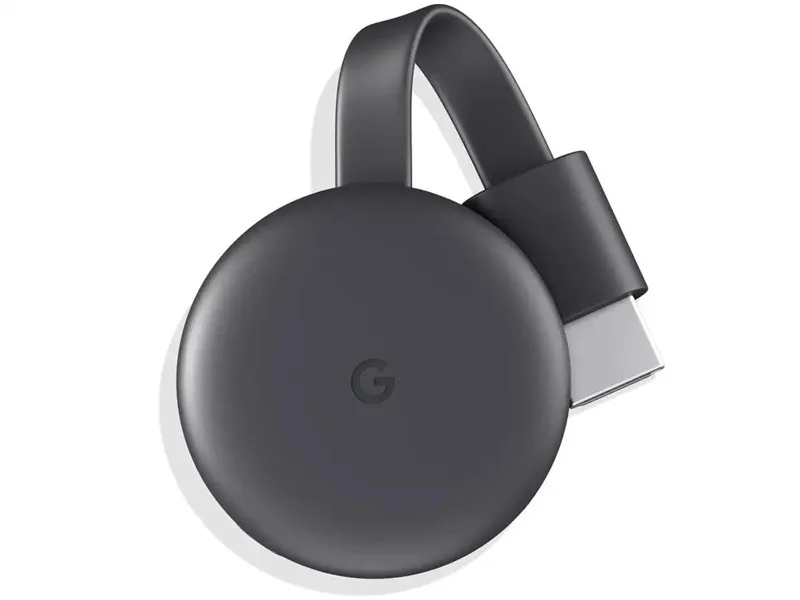
Google Chromecast 3 Media Streaming Device
Smart TVs are becoming more common in modern homes, but many users still own older televisions without advanced streaming features. Streaming devices are solving this problem by allowing users to convert regular TVs into smart entertainment systems without buying an entirely new television. Among the popular options available globally, the Google chromecast 3 media streaming device remains one of the most recognized streaming gadgets because of its simple setup, smartphone connectivity, and easy content casting support.
For users who regularly watch YouTube, Netflix, Disney+, or other online streaming platforms, Chromecast offers a convenient way to enjoy digital entertainment on larger screens.
Its compact size, simple controls, and integration with Google services have helped the device remain popular among smart home and entertainment users.
Google Chromecast 3 Media Streaming Device Design and First Impressions
One of the biggest strengths of the streaming device is its compact design.
Unlike bulky set-top boxes, Chromecast features a small circular body that connects directly to the television through an HDMI port. The lightweight structure makes it easy to carry while traveling or moving between rooms.
The device does not require complicated hardware installation, which makes it beginner-friendly even for users unfamiliar with streaming gadgets.
Its minimal design also helps reduce cable clutter around entertainment setups.
Google focused heavily on simplicity, and that approach remains one of Chromecast’s biggest advantages.
Google Chromecast 3 Media Streaming Device Android Compatibility
The streaming device works especially well with Android smartphones and tablets.
The Google chromecast 3 media streaming device android compatibility allows users to cast videos, music, presentations, and mobile apps directly from Android devices onto televisions.
This creates a smoother entertainment experience because users can control playback directly through their phones.
Streaming platforms like:
- YouTube
- Netflix
- Spotify
- Prime Video
can usually connect quickly through casting support.
Android integration is one reason Chromecast became extremely popular among smartphone users globally.
The ability to mirror screens and stream mobile content directly to televisions makes the device highly practical for everyday entertainment.
Chromecast Setup Is Simple for Most Users
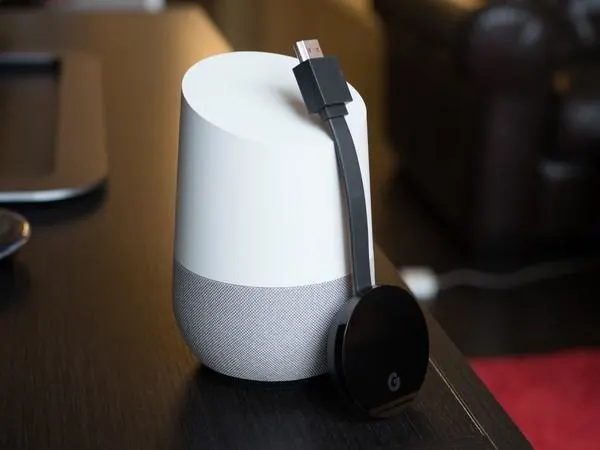
One of the biggest reasons Chromecast remains popular is its simple and user-friendly setup process designed for beginners.
The Chromecast setup usually takes only a few minutes with a stable WiFi connection and a smartphone.
After connecting the device to the TV’s HDMI port and power source, users can configure it through the Google Home app.
Once setup is completed, the streaming device becomes ready for wireless casting and streaming.
Unlike some traditional media boxes requiring complicated menus and remote controls, Chromecast focuses heavily on smartphone-driven operation.
This makes the experience feel simpler and more modern for many users.
Streaming Performance and Video Quality
Streaming quality remains one of the most important factors for any media streaming device.
The Chromecast reportedly delivers stable Full HD streaming performance with smooth playback under strong internet conditions.
Users can comfortably stream movies, videos, music, and live content across multiple supported platforms.
Buffering performance mainly depends on internet speed and router quality, but Chromecast itself generally offers reliable playback for regular streaming usage.
The device also supports various entertainment apps, making it flexible for users who consume content across multiple services.
For casual streaming and daily entertainment, the performance appears sufficient for most households.
Google Chromecast 4th Generation Brought Major Changes
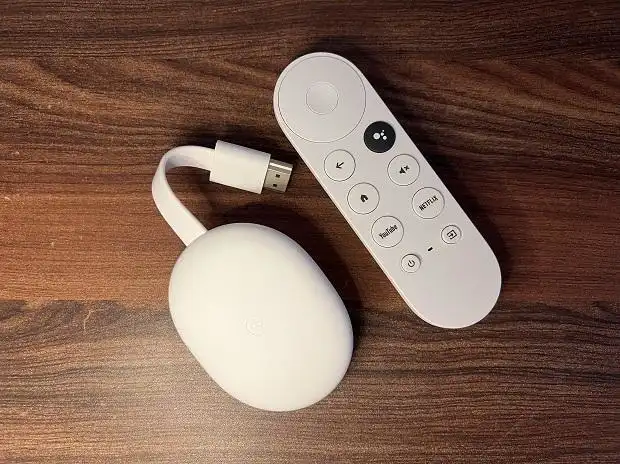
While the Chromecast 3 remains popular, many users also compare it with the Google Chromecast 4th generation.
The newer version introduced a dedicated remote control and full Google TV interface instead of relying mainly on smartphone casting.
This changed the overall user experience significantly.
The older Chromecast focuses more on casting content from mobile devices, while the newer generation behaves more like a standalone smart TV platform.
Some users still prefer the simplicity of Chromecast 3 because it keeps the experience lightweight and easy to manage.
Others may prefer the more advanced interface and remote support offered by newer versions.
The choice depends mainly on viewing habits and user preferences.
Smart Entertainment Is Changing Home Viewing
Streaming devices are transforming how people consume entertainment.
Traditional cable TV usage continues declining as users increasingly shift toward internet-based streaming platforms.
Devices like Chromecast help older televisions remain useful without requiring expensive smart TV upgrades.
This affordability is one reason streaming gadgets continue growing in popularity worldwide.
Younger users especially prefer flexible streaming systems that work seamlessly with smartphones and wireless internet connections.
As online content consumption increases, compact streaming devices may become even more common inside homes.
Is Chromecast Still Worth Buying Today?
Many buyers still wonder whether Chromecast remains worth purchasing in today’s competitive streaming market.
For users who mainly watch content through smartphones and streaming apps, the device still offers strong convenience and value.
The simple casting system works well for casual entertainment without requiring complicated navigation menus.
It may especially suit users who:
- already use Android phones
- watch YouTube frequently
- prefer smartphone controls
- own older televisions
- want affordable smart streaming
However, users wanting standalone app browsing and remote-based navigation may prefer newer streaming platforms with full TV interfaces.
Google Chromecast 3 Media Streaming Device for Daily Use
For regular home entertainment, Chromecast remains practical because of its simplicity.
The lightweight device can easily stream:
- movies
- music
- presentations
- live sports
- online videos
Its portability also makes it useful for travel or temporary entertainment setups.
Users who regularly use smartphones and wireless apps may find the casting experience smooth, simple, and easy to control.
Even after newer streaming devices entered the market, Chromecast continues maintaining a strong user base because of its reliable casting functionality.
Pros and Cons of Google Chromecast 3 Media Streaming Device
Pros
The device offers compact design, simple casting support, Android compatibility, easy setup, affordable pricing, and smooth Full HD streaming.
Cons
It lacks a dedicated remote, depends heavily on smartphones for control, and may feel limited compared to newer smart TV platforms.
Final Thoughts on Google Chromecast 3 Media Streaming Device
The growing popularity of streaming platforms continues increasing demand for affordable media streaming solutions.
The Google chromecast 3 media streaming device remains a practical option for users wanting simple and reliable wireless streaming without purchasing an expensive smart TV.
Its compact design, smooth Android integration, beginner-friendly Chromecast setup process, and stable streaming performance make it useful for many households.
While newer streaming platforms may offer more advanced interfaces and standalone controls, Chromecast still delivers convenient entertainment for users who prefer smartphone-based streaming experiences.
FAQs
What is the Google chromecast 3 media streaming device used for?
It allows users to stream videos, music, and apps from smartphones or computers directly to televisions.
Is Chromecast setup difficult?
No. The setup process is generally simple using the Google Home app and a WiFi connection.
Does the device support Android smartphones?
Yes. The Google chromecast 3 media streaming device android compatibility works well with Android phones and tablets.
What is the difference between Chromecast 3 and Google Chromecast 4th generation?
The newer generation includes a remote control and full Google TV interface, while Chromecast 3 mainly focuses on smartphone casting.