By Chetanya Sarraf
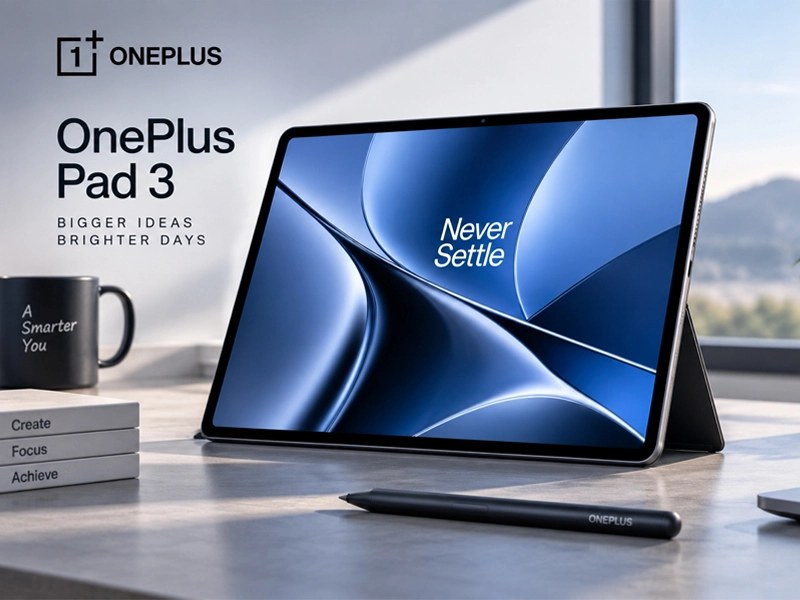
Oneplus pad 3 Tablet
The Oneplus pad 3 Tablet arrives as a premium Android tablet built for people who want more than casual browsing and streaming. With a large high-resolution display, flagship-level processing power, a huge battery and productivity-focused accessories, it aims to bridge the gap between a traditional tablet and a lightweight laptop.
A tablet designed around big-screen productivity
The 13.2-inch display immediately stands out. OnePlus pairs its large panel with a 3.4K resolution, 144Hz refresh rate, 315 PPI and support for Dolby Vision. The 7:5 aspect ratio is useful for documents, creative work and split-screen apps because it provides more vertical space.
The display uses LCD rather than OLED, so buyers seeking deeper blacks may prefer AMOLED. Still, its resolution and smooth refresh rate make scrolling, gaming and video playback polished.
Performance of Oneplus pad 3 Tablet that targets demanding users
Under the hood, the tablet uses Qualcomm’s Snapdragon 8 Elite Mobile Platform, placing it firmly in flagship territory. It is available with up to 16GB of RAM and 512GB of storage, giving users enough headroom for heavy multitasking, large files and demanding applications.
Students and gamers benefit from its multitasking. It handles notes, browsers, documents and daily entertainment smoothly.
long-lasting battery
A 12,140mAh battery gives this tablet plenty of endurance for long work sessions and entertainment. OnePlus also supports 80W SUPERVOOC charging, which can reduce the amount of time spent connected to a charger.
For frequent travelers and mobile workers, that combination matters. A large battery is useful, while fast charging helps when recharge time is limited.
Value and pricing of Oneplus pad 3 Tablet
The OnePlus Pad 3 price in India starts around ₹49,999 for the 256GB model, while pricing for higher-storage configurations can vary by seller and ongoing offers. Buyers should check the latest listing before purchasing because promotions can change.
At this level, it competes with premium Android models while offering flagship processing hardware, a large high-refresh-rate display and a substantial battery. The value is strongest for users who need performance, not simply a larger screen.
Adding a stylus
The OnePlus Pad 3 with Pen setup is aimed at users who take handwritten notes, sketch, annotate documents or prefer a more natural way to interact with a large display. The OnePlus Stylo 2 supports 16,000 pressure levels, low latency and haptic feedback, making it useful for creative and productivity tasks.
The pen suits students and designers who mark up PDFs, create diagrams or jot down ideas. Buyers should check whether it is bundled or sold separately.
Software and multitasking of Oneplus pad 3 Tablet
The Oneplus pad 3 Tablet runs OxygenOS for large-screen productivity. OnePlus includes multitasking tools that allow several applications to work together, while AI features can assist with tasks such as translation, summarization and writing.
Connectivity with compatible OnePlus phones is another advantage. File sharing, notification synchronization and clipboard sharing are useful for people already using the brand’s smartphone ecosystem.
Built for work, not just entertainment
A strong tablet needs to feel useful after the novelty of a large display wears off. The generous screen makes spreadsheets, presentations, research documents and web-based work easier to view without constantly zooming. It can also work well as a secondary screen for users who already have a laptop or desktop.
The keyboard accessory adds flexibility. People who frequently respond to emails, draft documents or manage multiple browser tabs may find a physical keyboard more comfortable for longer sessions. The tablet remains lighter and more flexible than carrying a conventional laptop for every short task.
Cameras and everyday use of Oneplus pad 3 Tablet
The cameras can handle video calls, document scanning and quick photographs. The front-facing camera is useful for online classes and meetings, while the multi-speaker setup creates an engaging sound experience for movies, music and games.
Design and portability of Oneplus pad 3 Tablet
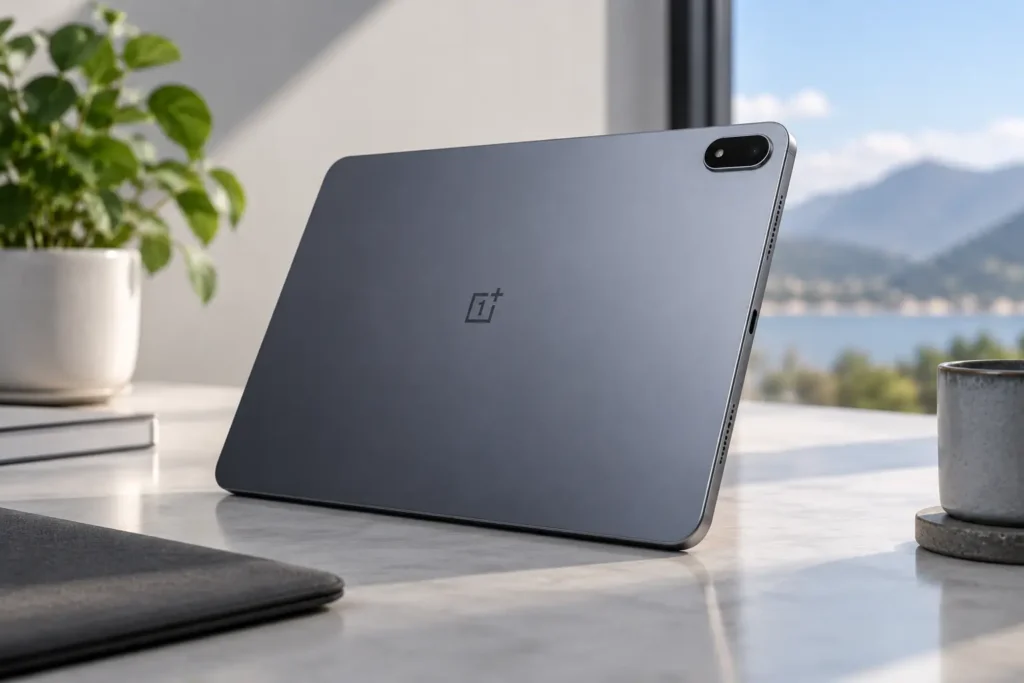
Despite its large screen and substantial battery, the tablet is designed with a slim metal body that gives it a premium appearance. The bigger footprint can make one-handed use less comfortable, but it creates a more immersive workspace when the device is placed on a desk or used with a keyboard.
Commuters who mainly read ebooks may prefer a smaller tablet, while students and creators can benefit more from the additional screen area.
Who should consider buying it?
The Oneplus pad 3 Tablet makes the most sense for buyers who want strong Android performance and a desktop-like working experience without committing to a full laptop. Students can use it for notes and research, professionals can handle documents and meetings, and gamers can take advantage of the powerful processor and fast display.
Creative users should also consider the optional stylus. While a dedicated laptop remains better for certain professional applications, the tablet offers a flexible middle ground for drawing, annotation and content consumption.
A practical choice for long-term use
The hardware combination gives the device plenty of room for everyday tasks as applications become more demanding. Users who keep their tablets for several years may appreciate the high-end processor and generous memory options, especially when switching between productivity and entertainment.
For buyers building a connected setup, compatibility with other OnePlus devices can further improve convenience. This makes the tablet more appealing when it is considered as part of a wider ecosystem rather than as an isolated device.
Pros and Cons
Pros
- Powerful Snapdragon 8 Elite performance
- Sharp 3.4K 144Hz display
- Large 12,140mAh battery
- Slim metal construction
Cons
- LCD instead of OLED
- Large size may reduce portability
- Accessories can increase the overall cost
Final Thoughts
The Oneplus pad 3 Tablet is a choice for users who want flagship performance without a laptop. Its combination of screen quality, processing power, battery endurance and productivity features makes it suitable for work, study, gaming and creative tasks.
It is not the smallest tablet, and the LCD may disappoint OLED buyers. Still, for performance-focused users, it offers a compelling package that balances power and practicality.
FAQs
Is this tablet good for gaming?
Yes. Its Snapdragon 8 Elite platform and high-refresh-rate display make it well suited to demanding Android games.
Does it support a stylus?
Yes. It supports the OnePlus Stylo 2, which is designed for writing, drawing and document annotation.
Is the display OLED?
No. The tablet uses a high-resolution LCD panel with a 144Hz refresh rate.
Is it suitable for students?
Yes. The large display, multitasking features, long battery life and optional stylus make it useful for notes, research and online learning.