By Pallavi Dogra
Lenovo idea tab A2109A– A Blast from the Past
When we think about tablets today, our minds instantly go to sleek iPads or the latest Samsung Galaxy Tabs with edge-to-edge displays, high-refresh-rate screens, and blazing fast processors. But if we take a step back about a decade, the tablet market looked very different. One of the contenders during that era was of Lenovo idea tab A2109A, a budget-friendly 9-inch tablet that hit the shelves in 2012.
At the time, Lenovo was pushing hard into the Android tablet space, aiming to give users a solid device for browsing, light gaming, and media consumption — all without the premium price tag of Apple’s iPad. The A2109A may feel outdated today, but back then it was considered a pretty solid mid-range option. In this blog, let’s revisit this tablet, see what it brought to the table, and reflect on whether it still has any relevance today.
Designing of Lenovo idea tab A2109A
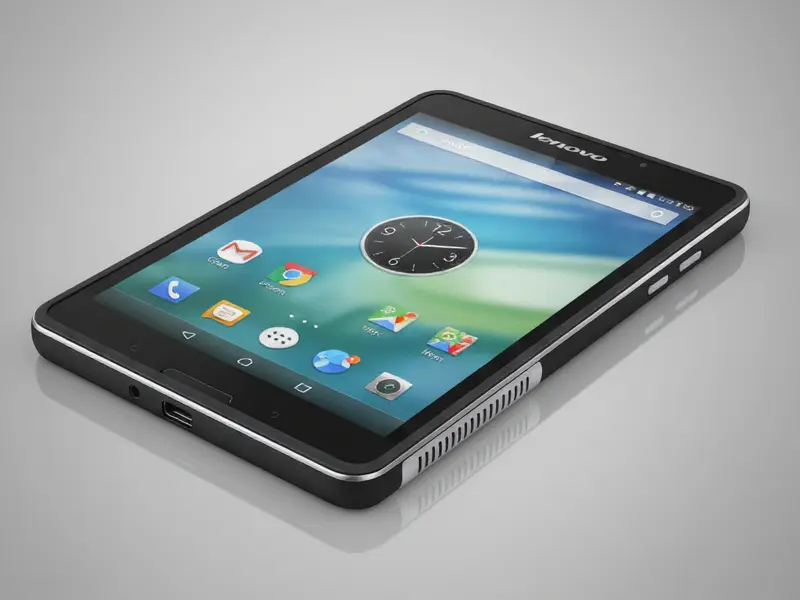
Lenovo idea tab A2109A looked chunky compared to modern tablets. It measured 259.8 × 178 × 11.7 mm and weighed about 570 grams. That made it heavier than today’s slim and lightweight devices.
It had wide bezels around the screen and a simple, rectangular shape. The plastic body felt solid and durable, though not premium.
This tablet wasn’t designed to impress with looks. Instead, it aimed to deliver functionality at an affordable cost.Due to its weight, holding it for extended periods of time may be exhausting. However, in 2012, many users prioritized durability over slimness.
Display Experience
The Lenovo idea tab A2109A was equipped with a 9-inch LED display by Lenovo. The resolution was 1280 × 800 pixels. At the time, this resolution was decent.
It allowed users to watch videos, browse the web, and read eBooks comfortably.
However, the tablet used a TN panel rather than an IPS panel. This meant colors looked washed out and viewing angles were poor.
If you tilted the screen, the brightness and clarity dropped quickly.
Despite its flaws, the display worked well enough for casual media use. For budget buyers, the screen offered acceptable quality without driving up the price.
Performance and Hardware
The popular 2012 NVIDIA Tegra 3 processor powered the A2109A. The device had sufficient speed for everyday applications thanks to this quad-core chip running at 1.2–1.3 GHz. The tablet also carried 1 GB of RAM.
At the time, the performance felt smooth. Apps opened quickly.
Games like Angry Birds, Temple Run, and Subway Surfers played without issues. Shadowgun and Dead Trigger, two heavier games, performed reasonably well. The hardware seems to be slow by today’s standards. Modern games and apps require significantly more power. But in 2012, this was considered solid mid-range performance.
Storage and Expansion
Lenovo Tab with Pen offered the tablet with 16 GB of internal storage. The microSD card slot became a significant benefit for users who required additional storage. You could easily expand storage with a memory card. This feature allowed people to store movies, music, and photos without worrying about space. iPads didn’t offer such flexibility, which gave Android tablets like this one an edge.
For travelers and students, expandable storage made the A2109A especially useful. A lot of people carried microSD cards with videos they could watch offline.
Cameras of Lenovo idea tab A2109A
The Lenovo IdeaTab A2109A included a 3-megapixel rear camera and a 1.3-megapixel front camera. Even in 2012, both cameras appeared to be basic. Photos looked grainy and lacked detail.
Still, the cameras served their purpose. The rear camera could capture quick snaps in good light. For basic selfies and video calls, the front camera was adequate. Users had no idea that tablets would take the place of dedicated cameras. Photography was already better on phones.
Ports and Connectivity
One of the strongest points of the A2109A was its port selection. The tablet had a charging and data transfer micro-USB port. But it also included a micro-HDMI port, which was rare in budget tablets at the time.
The tablet could be connected to a television or monitor through the HDMI port. Watching movies on a bigger screen became simple. This feature made the tablet attractive for families and media lovers.
Other connectivity features included Wi-Fi (802.11 b/g/n), Bluetooth, and a headphone jack. The tablet was still a Wi-Fi-only device because it did not support cellular data.
Battery Life
The battery performance was solid for its time. Lenovo claimed up to 8 hours of web browsing on a single charge. Real-world use matched this claim fairly well.
Users could browse, read, or stream videos for most of the day without recharging. Lenovo idea tab a2109a’s battery life was improved by the Tegra 3 processor’s balance of performance and efficiency.
Software and Experience for Users
Android 4.0 Ice Cream Sandwich came preinstalled on the IdeaTab A2109A. The interface felt clean and simple. The Google Play Store could be accessed, apps could be downloaded, and home screens could be customized.
Android at that time wasn’t as polished as today, but it gave freedom. People liked being able to expand storage, use widgets, and connect devices through HDMI. The tablet was useful for families, students, and casual gamers.
Everyday Use in 2012
The lenovo idea tab a2109a played a variety of roles during its debut year. Students used it for reading digital textbooks and taking notes. Travelers relied on it for offline movies and games. Families enjoyed it as a budget-friendly media tablet for kids.
It wasn’t designed for professionals or power users. Instead, it became a reliable companion for basic digital tasks.
Relevance of Lenovo idea tab A2109A in 2025
Android 4.0 Ice Cream Sandwich came preinstalled on the IdeaTab A2109A. The interface felt clean and simple. The Google Play Store could be accessed, apps could be downloaded, and home screens could be customized.
Android at that time wasn’t as polished as today, but it gave freedom. People liked being able to expand storage, use widgets, and connect devices through HDMI. The tablet was useful for families, students, and casual gamers.
Lessons from the A2109A
The Lenovo IdeaTab A2109A reminds us how quickly technology evolves. In 2012, a quad-core processor, HDMI port, and microSD slot felt impressive. Today, those specs look tiny.
This device also shows Lenovo’s strategy. The company wanted to give budget users a capable tablet without charging premium prices. And it succeeded.
The tablet may not have been revolutionary, but it played a role in making Android tablets more accessible.Android 4.0 Ice Cream Sandwich came preinstalled on the IdeaTab A2109A. The interface felt clean and simple. The Google Play Store could be accessed, apps could be downloaded, and home screens could be customized.
Android at that time wasn’t as polished as today, but it gave freedom. People liked being able to expand storage, use widgets, and connect devices through HDMI. The tablet was useful for families, students, and casual gamers.
So, The Lenovo IdeaTab A2109A was never about luxury. It was about practicality. It had an HDMI output, a 9-inch display, expandable storage, and Tegra 3 chip performance that was acceptable. It also had flaws. The design appeared bulky, the cameras were weak, and the display was average. But for its time, the balance of price and features made it appealing.
This tablet seems out of date now, but it shows how far the industry has come. From bulky 9-inch screens to today’s slim OLED devices, progress has been dramatic.
If you own an A2109A, you probably have fond memories of it. It may not hold up today, but it gave many people their first step into the tablet world. And for that reason, it deserves a place in tech history.