By Pallavi Dogra
Do You Know Secret Android Features
Android smartphones are packed with useful tools and hidden settings that many users never discover. While most people only use basic functions like calling, messaging, browsing, and social media, Android devices actually include several advanced features designed to improve productivity, privacy, battery life, gaming, and customization.
In this article, we will explore some of the most useful Secret Android Features that can completely improve your smartphone experience in 2026. Whether you use Samsung, OnePlus, Xiaomi, Vivo, Oppo, Pixel, or Motorola devices, many of these features are available on modern Android phones.
Why Hidden Android Features Matter
Most smartphone users never explore their device settings deeply. Because of this, many people overlook valuable features that can improve their phone’s speed, functionality, and overall user experience.
Here are some benefits of using hidden Android features:
- Better battery optimization
- Improved privacy protection
- Faster multitasking
- Better gaming performance
- Enhanced customization
- Smarter navigation controls
Many of these tools are already built into your smartphone, so you do not need to install extra apps.
Secret Features That Improve Battery Life
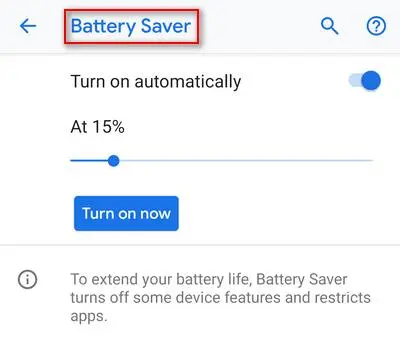
Battery performance is one of the biggest concerns for smartphone users. Thankfully, Android includes several hidden battery-saving options.
Adaptive Battery
Adaptive Battery uses AI to learn which apps you use the most and limits background activity for unused apps.
Benefits
- Reduces unnecessary battery drain
- Improves standby time
- Extends daily battery life
This is one of the most useful Secret Android Features for users who struggle with fast battery drain.
Dark Mode Scheduling
Most users know about dark mode, but very few use automatic scheduling.
You can set dark mode to activate:
- During sunset
- At bedtime
- At specific hours
This not only improves comfort at night but also saves battery on AMOLED displays.
Features for Better Privacy
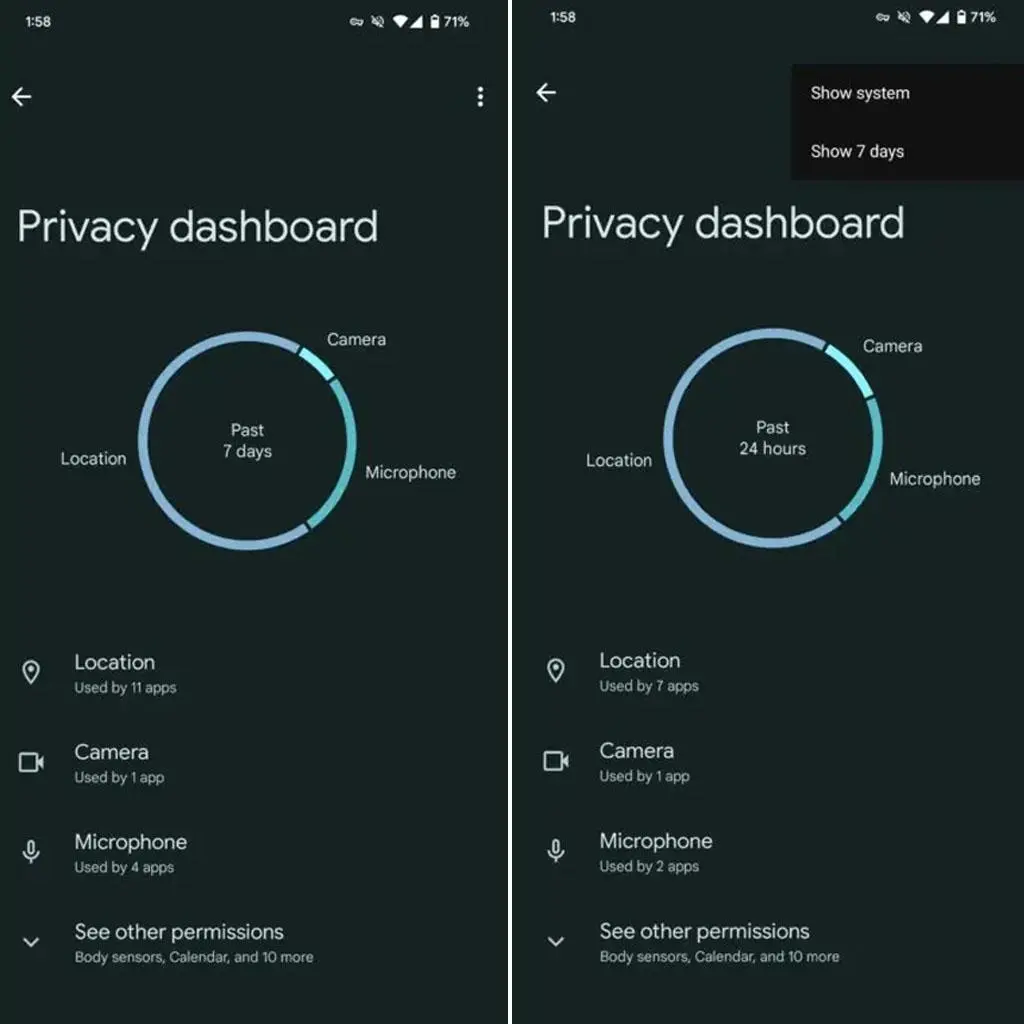
Privacy has become extremely important in 2026. Android now offers several hidden tools to protect user data.
App Permission Manager
Many apps secretly access your microphone, location, or camera in the background.
Android allows users to:
- Block unnecessary permissions
- Allow one-time access
- Monitor background activity
This helps improve smartphone security significantly.
Privacy Dashboard
The Privacy Dashboard shows which apps accessed your:
- Camera
- Microphone
- Location
You can quickly identify suspicious app activity and disable permissions instantly.
This remains one of the smartest Secret Android Features available on modern smartphones.
Features for Faster Performance
Android devices now include several optimization tools that improve speed and smoothness.
RAM Expansion
Many smartphones now support virtual RAM expansion.
This feature temporarily converts a portion of your storage into additional virtual memory to improve performance during demanding tasks.
- Better multitasking
- Faster app switching
- Improved gaming performance
Although it is not as fast as physical RAM, it still helps budget devices perform better.
Developer Options
Developer Options contain advanced Android hidden settings Quick setting hidden by default.
To enable it:
- Open Settings
- Go to About Phone
- Tap Build Number multiple times
Inside Developer Options, users can:
- Reduce animation speed
- Enable USB debugging
- Monitor CPU usage
- Improve gaming responsiveness
Among all Secret Android Features, this is one of the most powerful sections for advanced users.
Secret android features and tricks for Gaming
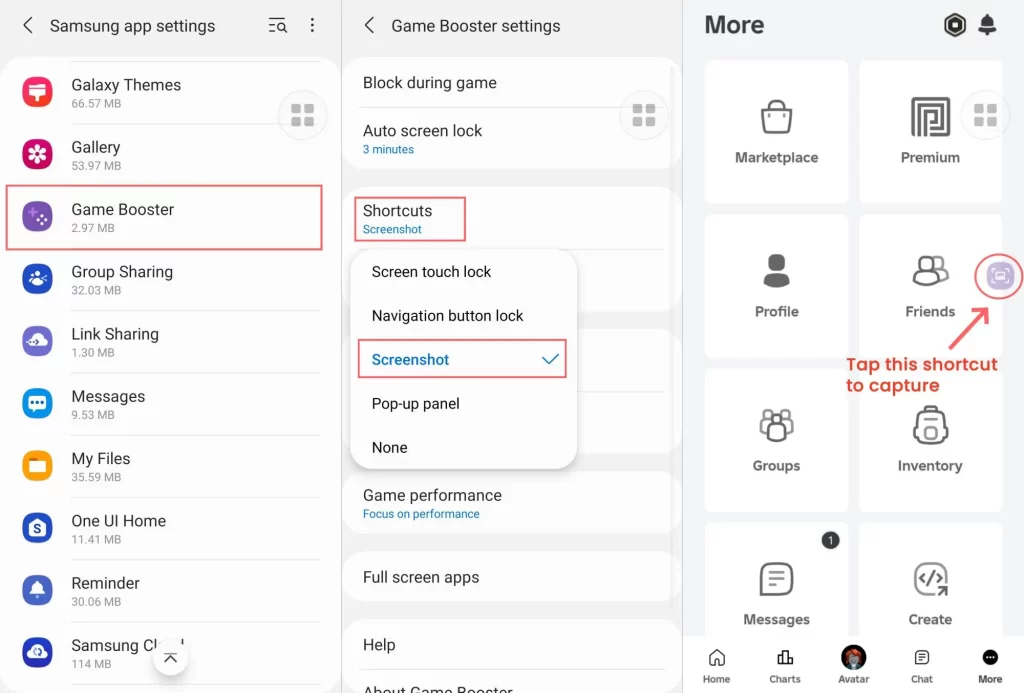
Mobile gaming has grown rapidly in India, and Android includes several hidden gaming tools.
Game Mode
Many Android phones now include a dedicated gaming mode.
Features usually include:
- Performance optimization
- Notification blocking
- Background app restriction
- Gaming shortcuts
This improves gaming stability and reduces interruptions.
Screen Recording with Internal Audio
Today’s Android smartphones can capture in-game audio directly while recording gameplay sessions.
This is useful for:
- Gaming videos
- Tutorials
- YouTube content creation
Many users still do not know this feature exists.
Secret Android Features for Better Multitasking
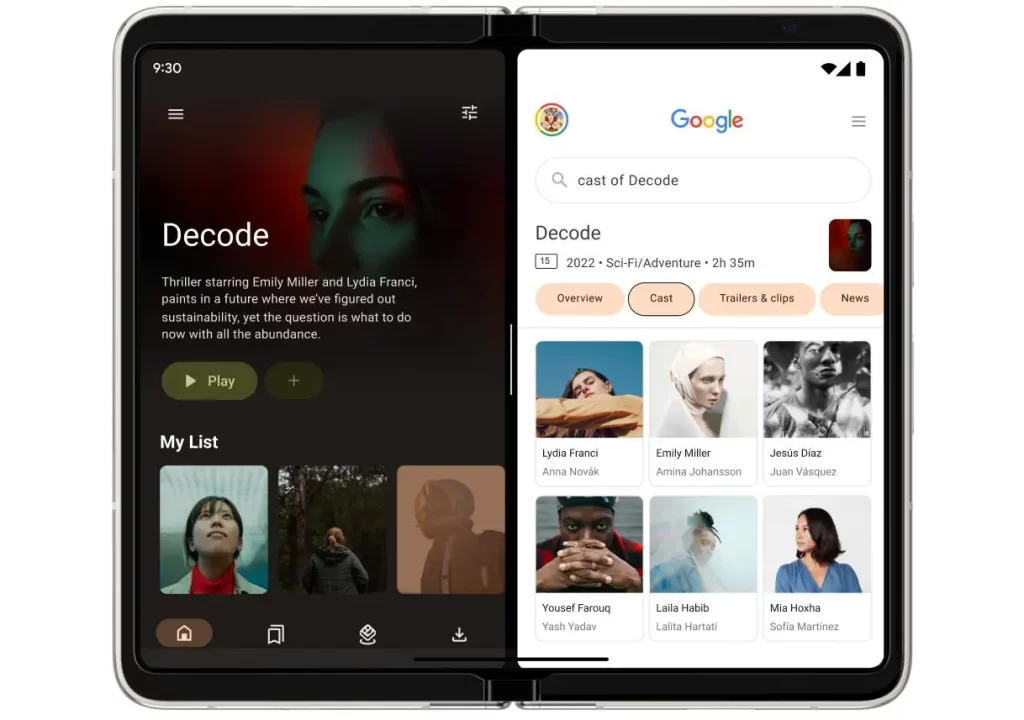
Android is known for strong multitasking support.
Split Screen Mode
The split-screen feature lets you use and view two applications at the same time on a single display.
Example uses:
- Watching YouTube while chatting
- Browsing while taking notes
- Using maps during messaging
This feature improves productivity significantly.
Floating Windows
Some Android brands now support floating app windows.
Users can:
- Reply to messages quickly
- Watch videos while browsing
- Use calculators without leaving apps
This is one of the most practical Secret Android Features for multitasking users.
Hidden Android Features for Customization
Android remains popular because of its customization capabilities.
Icon Packs and Themes
Modern Android phones allow users to:
- Change icons
- Apply themes
- Customize colors
- Modify fonts
This helps users personalise their devices completely.
Always-On Display Customisation
Many AMOLED smartphones now support advanced Always-On Display settings.
Users can:
- Add widgets
- Display notifications
- Customize clock styles
- Show animations
These personalization features make Android devices feel unique.
Secret Android Features for Better Security
Security tools are becoming smarter every year.
Theft Protection Features
Modern Android devices can:
- Automatically lock stolen phones
- Track device location
- Erase data remotely
These tools help users protect personal information.
App Lock Features
Some Android brands include built-in app lock systems.
Users can lock:
- Gallery
- Banking apps
- Social media apps
This adds an extra layer of protection.
These are among the most important Secret Android Features for privacy-conscious users.
Smart Android Features Many Users Ignore
Several useful features remain underused, even though they are extremely helpful.
Live Caption
Android can automatically generate captions for videos and audio content in real time.
Nearby Share
Nearby Share allows users to transfer files wirelessly between Android devices quickly.
Quick Tap Gestures
Some smartphones support gesture shortcuts on the back panel.
Users can:
- Take screenshots
- Open apps
- Launch the camera quickly
These small tools improve daily usability.
Which Secret Android Features Should You Use First?
The best hidden Android features depend on your needs.
- For battery life: Adaptive Battery
- For gaming: Game Mode
- For privacy: Privacy Dashboard
- For productivity: Split Screen Mode
- For performance: RAM Expansion
- For security: App Lock
Trying these features can completely change your smartphone experience.
Final Thoughts
Android smartphones in 2026 offer smarter and more powerful features than ever, yet most users still use only a small portion of their full capabilities. The hidden tools and settings discussed above can improve battery life, privacy, gaming, security, and overall performance significantly.
The Secret Android Features mentioned in this guide are useful for almost every smartphone user, whether you own a premium flagship device or a budget Android phone.
At GadgetsPros, we recommend exploring your phone settings regularly because manufacturers continue adding smarter tools and hidden options every year.
Once you begin exploring these hidden Android features, you’ll realize your smartphone can do much more than you ever expected.