By Chetanya Sarraf
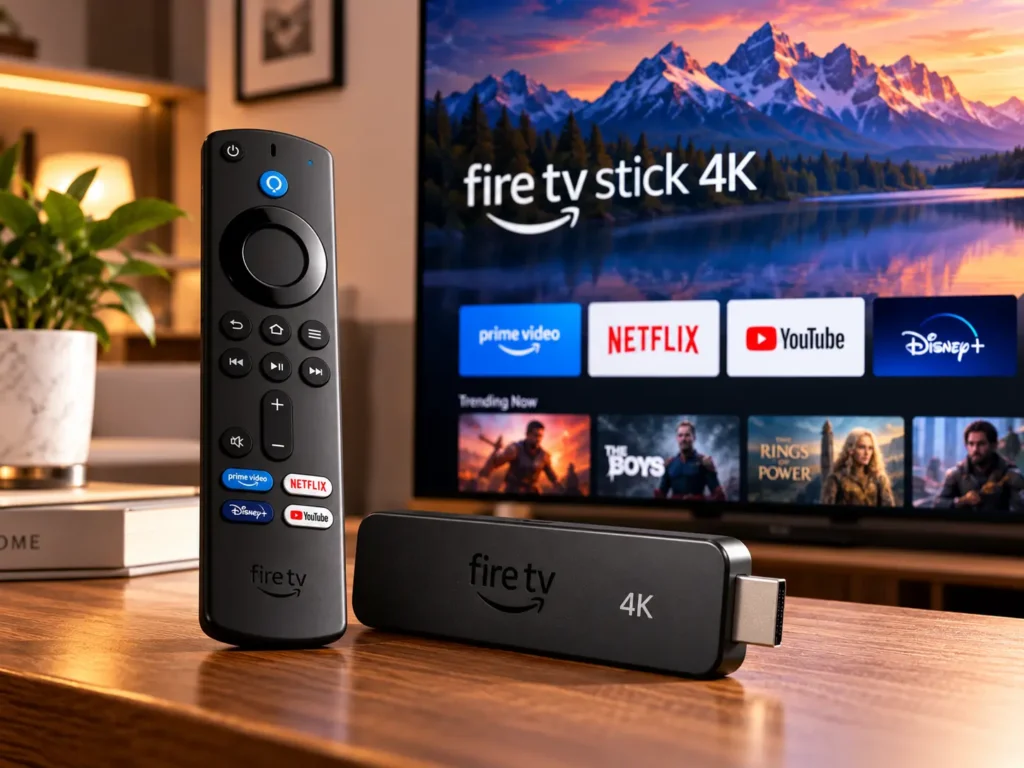
Amazon Fire TV Stick 4K
A television does not need to be new to deliver a modern streaming experience. The Amazon Fire TV Stick 4K is designed to bring internet-based entertainment to a compatible TV through its HDMI port, giving viewers access to streaming apps, voice search, and high-resolution video without replacing the screen itself. It is especially useful for households that want a simpler way to browse films, series, live channels, and other online content.
However, buyers should check the exact model before ordering. Amazon’s Fire TV range includes different 4K versions, and names such as Fire TV Stick 4K, 4K Plus, 4K Max, and 4K Select do not always refer to identical hardware or software. Features, app support, and prices can vary by region and generation.
A Compact Way to Upgrade Your TV
The stick connects to an HDMI port and uses your home Wi-Fi connection to stream content. Once setup is complete, the Fire TV interface brings supported apps and recommendations together on the television screen. This can be more convenient than switching between a television’s built-in apps or connecting a laptop whenever you want to watch something online.
Its small size also makes it practical for travel, provided the destination has a compatible television, a reliable internet connection, and the necessary power. The device is hidden behind the TV, helping keep the setup tidy. Some versions support powering through a television’s USB port with a compatible cable, but power requirements differ by model, so follow the included instructions.
Picture Quality and Supported Formats of Amazon Fire TV Stick 4K
The main attraction is 4K Ultra HD playback on compatible televisions and supported streaming titles. A 4K output can provide more detail than Full HD, especially on larger screens, but the final result depends on the TV, video quality, internet speed, and streaming service. A 4K television alone does not guarantee that every programme will play in 4K.
Supported Fire TV Stick 4K generations include HDR formats such as HDR10, HDR10+, and HLG. Format support varies between versions, so do not assume every model offers Dolby Vision or every premium cinema feature. The television and the specific film or series must also support the format for it to work.
For stable playback, a strong Wi-Fi signal matters. If the router is far from the television or separated by thick walls, video may buffer or drop to a lower resolution. Placing the router in a more open position or improving home Wi-Fi coverage can help.
Apps, Voice Search and Everyday Controls of Amazon Fire TV Stick 4K
The Fire TV platform provides access to supported entertainment apps, including services such as Prime Video, Netflix, YouTube, and other providers available in the local app store. Availability changes by country, and some services require separate subscriptions. Buying the stick does not automatically unlock every paid film, live sports package, or streaming catalogue.
The included Alexa voice remote can make searching less tedious. Instead of typing a long title with directional buttons, users can press the voice button and speak a supported search or command. Depending on the remote and TV setup, it can also control functions such as volume and power. Alexa features and smart-home controls depend on device compatibility, account settings, and regional support.
The interface is built around finding content, but recommendations may include services or titles that require payment. Users should check the provider and subscription details before starting a programme, particularly when a title appears in more than one app.
Setup and Compatibility of Amazon Fire TV Stick 4K
Installation is straightforward for most users. Connect the stick to an available HDMI port, supply power as directed, select the corresponding input on the television, connect to Wi-Fi, and sign in with an Amazon account. The device may download updates before the home screen is ready. Keep login details available and use a stable connection during setup.
For 4K streaming, the television should support 4K resolution and the relevant HDCP content-protection standard, while the internet connection must be fast enough for the chosen service. Older televisions with HDMI can still be useful for lower-resolution playback, but they cannot display genuine 4K detail. Check the model listing for requirements before purchasing.
Price and Availability
The Amazon fire tv stick 4k price depends on the generation, retailer, and sale period. In India, Amazon has expanded the range with distinct models, including Fire TV Stick 4K Select and 4K Plus. A price shown for one version should not be treated as the price of every 4K stick. Check the exact product name, included remote, supported formats, and seller before placing an order.
For shoppers comparing the Amazon fire tv stick 4k india options, sale events can change the value equation considerably. Compare the current price with the model’s feature list rather than choosing solely by the “4K” label. Also check the return policy and whether the product is new, refurbished, or imported, as warranty and support may differ.
Pros and Cons
Pros
- Adds streaming apps to compatible televisions through HDMI.
- Selected versions can deliver ultra-high-definition 4K video when paired with supported content and compatible equipment.
- Voice search makes finding titles easier.
- Compact design keeps the entertainment setup uncluttered.
Cons
- Streaming subscriptions may cost extra.
- Features differ between generations and regional versions.
- Requires reliable Wi-Fi for smooth playback.
- To experience the full clarity of 4K resolution, users need a compatible television and video content available in 4K quality.
Frequently Asked Questions
- Does the Amazon Fire TV Stick 4K work with any television?
The device connects to TVs through a compatible HDMI port. Watching content in 4K requires a 4K television, while older HD models can still play content at supported lower resolutions.
- Is every streaming app free?
Not all content comes at an extra cost. Certain apps provide free, ad-supported viewing, whereas others charge for subscriptions, rentals, or one-time purchases.
- Does the Fire TV Stick 4K support Alexa?
Certain models come with an Alexa-enabled voice remote, allowing users to control playback and access voice commands. Available features and smart home controls vary by device version, region, and connected equipment.
- Which Fire TV Stick 4K version should I buy in India?
Compare the prices of the Fire TV Stick 4K Select, 4K Plus, and other available models in India, considering their supported video formats, app compatibility, remote capabilities, and overall value for money.
Final Thoughts
The Amazon Fire TV Stick 4K can be a practical upgrade for viewers who want streaming apps and voice search without buying a new television. Its strongest value comes from matching the right model to your screen, internet connection, and viewing habits. Before purchasing, confirm the exact generation and Indian listing, because the same-sounding product names can offer different features.