By Chetanya Sarraf
SanDisk Extreme Portable SSD
Running out of laptop storage can interrupt work. Photos, 4K videos, and large project files quickly consume space. The SanDisk Extreme Portable SSD offers extra storage in a compact drive designed for backups and creative work on the move.
Unlike a traditional hard drive, an SSD uses flash memory and has no spinning disks, helping keep it compact. Choose carefully, because SanDisk sells several portable SSD models with different specifications.
Compact Storage of SanDisk Extreme Portable SSD for Work and Travel
The drive can fit into a small pocket or camera bag, making it easier to carry alongside a laptop. Instead of relying on cloud uploads for every large file, users can carry local copies and transfer them when needed.
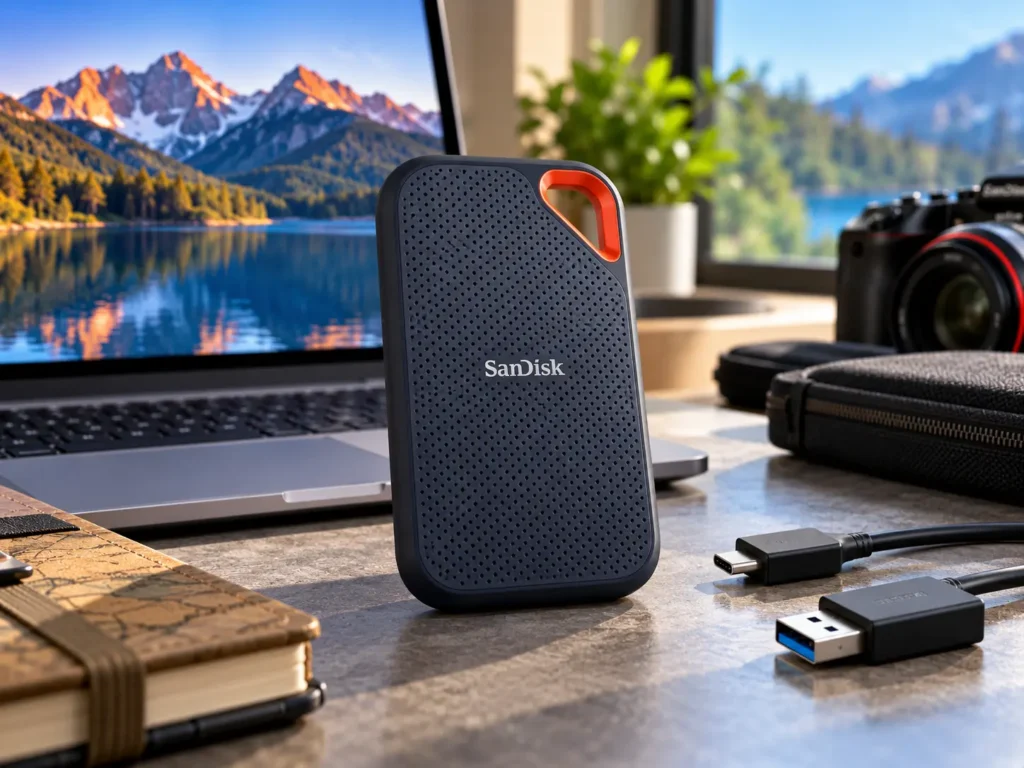
The Extreme Portable SSD has a pocket-friendly body, protective exterior, and loop for attaching it to a bag. It is a practical choice for anyone who needs to transfer data across devices, from photography enthusiasts and students to working professionals.
At home, it can store documents, family photographs, and video projects without taking up much desk space. Its compact build makes it easy to carry while travelling or working on the go.
Despite its rugged build, it is not indestructible. Avoid impacts, especially while files are being written.
Transfer Speeds and Real-World Performance
The original SanDisk Extreme Portable SSD model, SDSSDE61, advertises read speeds up to 1,050MB/s and write speeds up to 1,000MB/s, making large transfers faster than many conventional hard drives.
Actual speeds depend on the host device, cable, USB interface, file sizes, and workload. Small files may transfer more slowly than a large video. Newer Extreme models have different specifications, so check the exact listing.
For best results, connect the SSD directly to a compatible port rather than an unpowered hub. For reliable performance, connect the drive with the included or a certified cable and keep it plugged in until file transfers are complete.
Video editors can move footage between devices faster, photographers can store image libraries, and everyday users can back up files or free internal storage.
Durability of SanDisk Extreme Portable SSD for Everyday Carrying
The original model offers IP65-rated dust and water resistance and drop protection up to three metres under specified test conditions. The silicone casing provides an extra layer of protection while the device is being carried around.
Although the SSD has an IP65 rating, it is not designed for underwater use, and accidental damage is still possible. If wet, follow the manufacturer’s guidance and ensure it is dry before connecting.
The loop can secure it to a backpack, but protect the connector from pressure. Durability should complement, not replace, a backup strategy.
Compatibility, Connections and Security of SanDisk Extreme Portable SSD
The original model uses USB 3.2 Gen 2 with USB-C. The package may include a USB-C cable and USB-A adapter, but check the listing because contents can vary.
SanDisk lists compatibility with Windows, macOS, and supported USB-C phones and tablets. Actual support depends on the device, operating system, power, and file system. Confirm external-storage support before relying on it.
On supported systems, the standard Extreme Portable SSD offers password-based security backed by 256-bit AES hardware encryption. SanDisk says this feature is not compatible with USB-C smartphones, including Android devices. Keep passwords safe and back up irreplaceable files separately.
Backup Tips and File Management
A portable SSD becomes more useful when files are organised properly. Create separate folders for photographs, work documents, videos, and personal backups. Clear folder names and dates make it easier to find older files without repeatedly searching through hundreds of items.
For regular backups, choose a consistent schedule that suits how often your files change. For example, photographers may copy new images after each shoot, while office users may back up important documents at the end of the week. After copying, open a few files to confirm that the transfer completed successfully.
Avoid editing or deleting the only copy of an important file until you have checked the backup. When travelling, keep the SSD separate from your laptop when practical. If one device is lost or damaged, the other copy may remain safe. To protect critical files, keep an additional copy stored elsewhere or use a reliable cloud backup platform.
Capacity and Buying Considerations
Choose capacity based on your files. A 500GB drive may suit documents and smaller projects, while 1TB or 2TB gives more room for photos, videos, and backups. Larger libraries may need more space, but critical files should still have multiple copies.
If you plan to keep video projects for several years, estimate your current storage needs and leave room for future files.
Compare model number, capacity, warranty, seller, and return policy. The Extreme and Extreme PRO are different products. Pay for higher performance only if your device and workload can use it.
Pros and Cons
Pros
- Compact design with a convenient attachment loop.
- Fast transfer performance on compatible USB connections.
- IP65 water and dust resistance and tested drop protection.
- Password protection and hardware encryption on supported systems.
Cons
- Maximum speeds require compatible hardware and conditions.
- Not waterproof for submersion.
- Encryption features have device compatibility limits.
- Similar product names can make model comparisons confusing.
Frequently Asked Questions
- What is the SanDisk Extreme Portable SSD used for?
It provides portable storage for backups, photographs, videos, documents, and other large files. It can also help move projects between compatible devices.
- What read and write speeds can users expect from the SanDisk Extreme Portable SSD?
The original SDSSDE61 model is rated for up to 1,050MB/s read and 1,000MB/s write speeds. Real-world results vary by host device, connection, and workload.
- Can I connect it to a smartphone?
It works with supported USB-C phones and tablets, but compatibility depends on the device, operating system, power support, and file system.
- Is the SanDisk Extreme Portable SSD waterproof?
It has an IP65 rating for dust and water resistance under specified test conditions, but it is not designed to be submerged.
Final Thoughts
For important documents, consider using the drive alongside a cloud backup or a second physical drive. A portable SSD can be lost, damaged, or affected by file corruption, so one copy is never a complete backup plan.
The SanDisk Extreme Portable SSD is a practical choice for compact storage, travel, and backups. Its rugged design is useful, but performance depends on the model and connected hardware. Confirm the generation before buying and keep a second copy of important files for better data protection.